Products
Business Central | Subscription Management Microsoft Dynamics 365 Business Central for Recurring Revenue SMBs
Subscription Finance that can build into a Cloud ERP as your business scales.
LISA Enterprise Microsoft Dynamics 365 FSCM with Supercharged Subscription Management
Powerful Cloud ERP for scaling recurring revenue corporations.
TAPP Payment fulfilment for Microsoft Dynamics 365 Apps
Complete, powerful payment automation for all recurring revenue business
types and sizes. With Stripe and Go Cardless.
Industry SaaS / Software Retail & eCommerce Memberships Microsoft Partners
Home
Solutions
Smb Product Suite
LISA Business
LISA Contract Entry Agent
TAPP for D365 BC & Sales
BC-Dataverse Integrator
Enterprise Product Suite
LISA Enterprise
TAPP Finance & Sales
Industries
SaaS / Software
Retail & eCommerce
Memberships
Microsoft Partners
e-Learning
Energy Retail
Resources
Blog
Learning Portal
Guides
Pricing
Partners
Enterprise Partners
SMB Partners
Company
About
Career
Book a Demo
© 2026, Bluefort.
All Rights Reserved.
SMB Product Suite Enterprise Product Suite Industries
SMB Product Suite
Subscription Management LISA Business Business Central Subscription & Recurring Revenue Management, supercharged.
Subscription Management LISA Contract Entry Agent Agentic AI for Subscription & Recurring Revenue Management in LISA Business.
Any Vertical Application TAPP for D365 BC & Sales One click end-to-end cash collection & management in D365 BC & Sales.
Any Vertical Application BC-Dataverse Integrator Seamless & complete data synch between D365 BC and the Dynamics CE stack.
Enterprise Product Suite
Subscription Management LISA Enterprise The most powerful Subscription & Recurring Revenue engine for D365 FSCM.
Any Vertical Application TAPP Finance & Sales One click end-to-end cash collection & management in D365 Finance & Sales.
Industries
SaaS / Software
Retail & eCommerce
Memberships
Microsoft Partners
e-Learning
Energy Retail
Book a Demo
  • Solutions
    • Products
      • Business Central
      • LISA Enterprise
      • TAPP
    • Industry
      • SaaS
      • Retail and e-Commerce
      • Memberships
      • Microsoft Partners
  • Resources
    • Blog
    • Learning Portal
    • Guides
  • Pricing
  • Partners
    • Enterprise Partners
    • SMB Partners
  • Company
    • About
    • Careers
  • Menu Menu
Book a Demo
Home / Resources / Blog / Details
In this article:
1 Your Business Relies on Custom Tables 2 You8217re Running Multiple ISV Solutions 3 Teams Still Rely on Spreadsheets 4 Data Is AvailableJust Not When You Need It 5 Every Change Requires Technical Intervention 6 You8217re Exploring Copilot or AI Initiatives 7 You Spend More Time Managing Integrations Than Benefiting From Them Standard Integration Isn8217t the Problem What Modern Integration Looks Like Download the Free Guide Ready to Move Beyond Standard Integration
Ready to transform your business with subscriptions?

Discover how we can help you achieve sustainable revenue growth and enhanced customer loyalty. Contact us today to learn more!

Let's Chat
Schedule a free, no-obligation discover call today!

7 Signs You’ve Outgrown Standard Business Central Dataverse Integration

11.06.2026
AI

For many organizations, Microsoft’s standard integration between Business Central and Dataverse is the perfect place to start. It provides a solid foundation for connecting ERP and CRM data, enabling key information to flow between systems and reducing the need for manual processes.

The challenge is that businesses rarely stand still.

As organizations grow, they introduce new applications, implement industry-specific solutions, automate more processes, and explore technologies such as Microsoft Copilot and AI. What once seemed like a perfectly adequate integration strategy can gradually become a constraint on growth.

The question isn’t whether standard integration works.

The question is whether it still supports the way your business operates today.

Here are seven signs that your organization may have outgrown standard Business Central–Dataverse integration.

1. Your Business Relies on Custom Tables

Every growing business develops processes that don’t fit neatly into standard ERP or CRM entities.

Perhaps you’ve created custom tables in Business Central to support industry-specific workflows. Maybe you’ve extended Dataverse to capture information unique to your organization. Over time, these customizations become critical to how the business operates.

The problem is that standard integration typically focuses on standard entities.

If important business data remains trapped inside custom tables, your teams are working with an incomplete view of the business. AI, reporting, automation, and customer-facing processes all become less effective when critical information is excluded from the integration layer.

2. You’re Running Multiple ISV Solutions

Modern Microsoft environments rarely consist of Business Central and Dataverse alone.

Organizations increasingly rely on ISV applications to support subscriptions, service management, project operations, field service, industry-specific processes, and more. Each solution introduces additional entities, data structures, and business logic.

If those entities aren’t fully integrated, data silos begin to emerge.

What started as a connected ecosystem gradually becomes a collection of disconnected applications.

3. Teams Still Rely on Spreadsheets

One of the clearest indicators of integration limitations is the continued reliance on spreadsheets to bridge information gaps.

When employees regularly export data, manually reconcile records, or maintain offline reports because systems don’t provide a complete picture, integration gaps are often the underlying cause.

The spreadsheet itself isn’t the problem.

It’s the symptom.

Spreadsheets usually appear when the business cannot easily access trusted information from its existing systems.

4. Data Is Available—Just Not When You Need It

Many organizations discover that data eventually reaches its destination.

The issue is timing.

Sales teams need current pricing information. Finance teams need immediate visibility into transactions. Operations teams need accurate data to support day-to-day decision-making.

When synchronization delays become part of normal business operations, productivity suffers and confidence declines.

In an increasingly real-time business environment, “eventually” is often no longer good enough.

5. Every Change Requires Technical Intervention

A healthy integration architecture should evolve alongside the business.

If adding a field, introducing a new entity, modifying a workflow, or supporting a new business process requires development effort every time, scalability becomes a challenge.

Over time, organizations accumulate a growing backlog of integration requests. Business users become dependent on technical resources for routine changes, slowing innovation and increasing costs.

The more your integration relies on code, the harder it becomes to adapt.

6. You’re Exploring Copilot or AI Initiatives

Many organizations are surprised to discover that their biggest AI challenge isn’t selecting the right use case.

It’s preparing the underlying data foundation.

Microsoft Copilot, Power Platform automation, analytics, and AI-driven workflows all depend on connected, trusted, and complete business data. Every integration gap becomes a data gap. Every data gap reduces the value AI can deliver.

If AI is becoming part of your business strategy, your integration architecture deserves closer scrutiny.

7. You Spend More Time Managing Integrations Than Benefiting From Them

Perhaps the most telling sign is when integrations themselves become a source of operational overhead.

Teams spend time troubleshooting synchronization issues. Developers maintain custom code. Upgrades require extensive testing. Reporting requires validation. Data quality concerns become a regular topic of discussion.

At this point, integration is no longer enabling the business.

It’s consuming resources that could be invested elsewhere.

This is often where integration debt becomes visible.

Standard Integration Isn’t the Problem

It’s important to recognize that outgrowing standard integration is not a failure.

In fact, it’s often a sign that your business has evolved.

Microsoft’s standard integration capabilities are designed to address common scenarios and provide an excellent starting point. However, as organizations expand their processes, applications, and data requirements, those same organizations often need a more flexible and scalable approach.

The goal isn’t simply to connect systems.

It’s to create a trusted, real-time, and future-ready data foundation that supports growth, automation, AI, and operational excellence.

What Modern Integration Looks Like

Organizations that have outgrown standard integration are increasingly looking for solutions that provide:

  • Support for standard, custom, and ISV entities
  • Real-time or near real-time synchronization
  • Flexible one-way and two-way data flows
  • Configuration-led management
  • Full visibility into data movement
  • Enterprise-grade security
  • Scalability for future growth

Most importantly, they are looking for ways to eliminate integration debt before it slows the business down.

Download the Free Guide

Want to understand the hidden cost of disconnected data, integration debt, and traditional integration approaches?

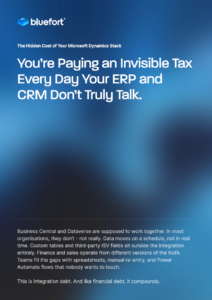
Download our free guide, The Hidden Cost of Your Microsoft Dynamics Stack: You’re Paying an Invisible Tax Every Day Your ERP and CRM Don’t Truly Talk, and learn how organizations are building scalable integration architectures across Business Central, Dataverse, and the wider Microsoft ecosystem.

Ready to Move Beyond Standard Integration?

If several of these signs sound familiar, it may be time to evaluate whether your current integration architecture can support the next stage of growth.

The Bluefort BC Dataverse Integrator provides a secure, configuration-led approach to connecting Business Central, Dataverse, Dynamics 365 CE, and Power Platform applications—including custom tables and third-party ISV entities.

Whether you’re preparing for Copilot, eliminating manual workarounds, or creating a more connected Microsoft ecosystem, we’re here to help.

Share on Socials:

Let’s chat further.

"*" indicates required fields

Consent*

Related blog articles.

27.03.2026 AI

Bluefort Launches Two AI Agents for Dynamics 365 Business Central

Bluefort has released two AI-powered agents for Microsoft Dynamics 365 Business Central, now available on Microsoft AppSource. The tools, the LISA Business Contract Agent and the Due Diligence Sentiment Agent, are designed to move AI beyond a peripheral feature and into the core of day-to-day ERP operations. The launch reflects a growing trend among business software vendors: rather than offering AI as a separate dashboard or add-on, embedding intelligence directly into the workflows where decisions and transactions actually happen. Automating the Contract Lifecycle The LISA Business Contract Agent targets one of the more time-consuming pain points in subscription-based businesses: translating customer communications into commercial actions. The agent reads inbound customer emails and attachments, autonomously generating sales quotes, sales orders, and contract updates within Business Central, including handling upgrades, cancellations, pro-rata adjustments, and future-dated changes. For high-volume subscription businesses where manual contract entry doesn't scale, this removes the layer of processing that typically sits between a customer request and its execution in the system. Key capabilities include: Email and attachment interpretation: reads inbound communications in full and converts them into structured sales quotes, orders, and contract actions without manual input Full subscription lifecycle support: handles add-ons, one-time charges, upgrades, removals, cancellations, pro-rata adjustments, and future-dated changes Pricing governance preserved: all pricing and discount logic remains controlled by Business Central; the agent assists execution but never overrides approved policy Governed automation: invoicing is only triggered under predefined conditions, with non-subscription items remaining under standard ERP control End-to-end auditability: every action is traceable back to the originating email through Copilot task logs and sales order records The pricing governance point matters. Organizations nervous about AI acting outside defined rules can configure the agent knowing their commercial policy stays intact, reducing the risk of billing errors, disputes, and credit notes downstream. Due Diligence Gets an AI Layer The Due Diligence Sentiment Agent, Bluefort's first agent built natively in Microsoft's AL language, performs automated sentiment analysis on customers and vendors, pulling exclusively from publicly available web sources to generate a risk score between 1 and 10, with citations included for transparency. Key capabilities include: Automated sentiment analysis: evaluates public web data on customers and vendors to surface qualitative risk signals without manual research Scored risk output: produces a sentiment score from 1 to 10, giving teams a consistent, comparable benchmark across counterparties Public data only: the agent draws exclusively from information available on the open web, with no access to private or proprietary data sources Source citation: every score is backed by cited sources, allowing teams to validate findings and dig deeper where needed Native ERP integration: runs entirely within Business Central, eliminating the need to switch between external research tools and internal systems Due diligence has traditionally lived outside ERP systems, requiring analysts to manually gather information across multiple platforms before making a judgment. By bringing that process inside Business Central, Bluefort is betting that finance teams will act faster, and more consistently, when risk signals surface within the same environment they already work in. Bluefort has indicated the agent is an early-stage release, with the company actively seeking user feedback to shape its development, suggesting further capabilities are on the roadmap. A Bet on Agentic ERP The two agents serve different functions, one executes, the other informs, but together they point to a broader strategic direction for Bluefort: positioning AI not as a standalone capability, but as an operational layer woven into Business Central itself. For subscription businesses in particular, the combination is meaningful. The Contract Agent reduces the overhead of processing recurring revenue operations at scale, while the Due Diligence Agent surfaces vendor and customer risk before it becomes a financial problem. Used together, they address both sides of the commercial relationship, execution and evaluation, without leaving the ERP environment. Both agents are available now on Microsoft AppSource. LISA Business – Contract Agent Due Diligence Sentiment Agent

Bluefort is the Microsoft Cloud Partner and Authority with core competence in Subscription Management and Recurring Revenue automation for SMBs and Enterprise Business.

Direct

  • Solutions
  • Partners
  • Thinking

About

  • Company
  • Corporate News
  • Careers
  • Contact

Contact Details

Registered Address

Oratory Street, Naxxar
NXR 2504, Malta, EU.

+356 9902 8483

UK

2, Leman Street,
London E1W 9US, UK

US

Atlanta, Georgia,
United States

© 2024 Bluefort. All rights reserved.
Copyright Terms Privacy
Why Copilot Readiness Starts with Your Integration ArchitectureWhy Copilot Readiness Starts with Your Integration Architecture
Scroll to top
Bluefort is the Microsoft Cloud Partner and authority in Subscription Management and Recurring Revenue automation for SMBs and Enterprise Business.
info@bluefort.io
Registered Address
Oratory Street, Naxxar NXR 2504, Malta, EU. +356 9902 8483
UK Office
2, Leman Street, London E1W 9US, UK
Quick Links
  • Solutions
    • Business Central
    • LISA Enterprise
    • Industry – TAPP
  • Resources
    • Blog
    • Learning Portal
    • Guides
  • Pricing
  • Partners
    • Enterprise Partners
    • SMB Partners
  • Company
    • About
    • Careers
  • Contact
Product menu
  • Lisa Business
  • LISA Contract Entry
  • BC Dataverse
  • LISA Enterprise
  • TAPP
  • License Guides
Industry menu
  • SaaS / Software
  • Retail & e-Commerce
  • Memberships
  • Microsoft Partners
  • e-Learning
  • Energy Retail
info@bluefort.io
© 2026, Bluefort. All Rights Reserved.
Copyright Terms Privacy